Privacy & Security in 4C Pulse
Your privacy and account security are important when using 4C Pulse. Following good security practices helps protect your account, personal information, and conversations.
Step 1: Protect Your Account
Your account credentials help prevent unauthorized access to your conversations.
Recommended steps
- Use a strong, unique password if your account uses password-based sign-in.
- Never share your password or email verification codes with another person.
- Keep access to your registered email account secure.
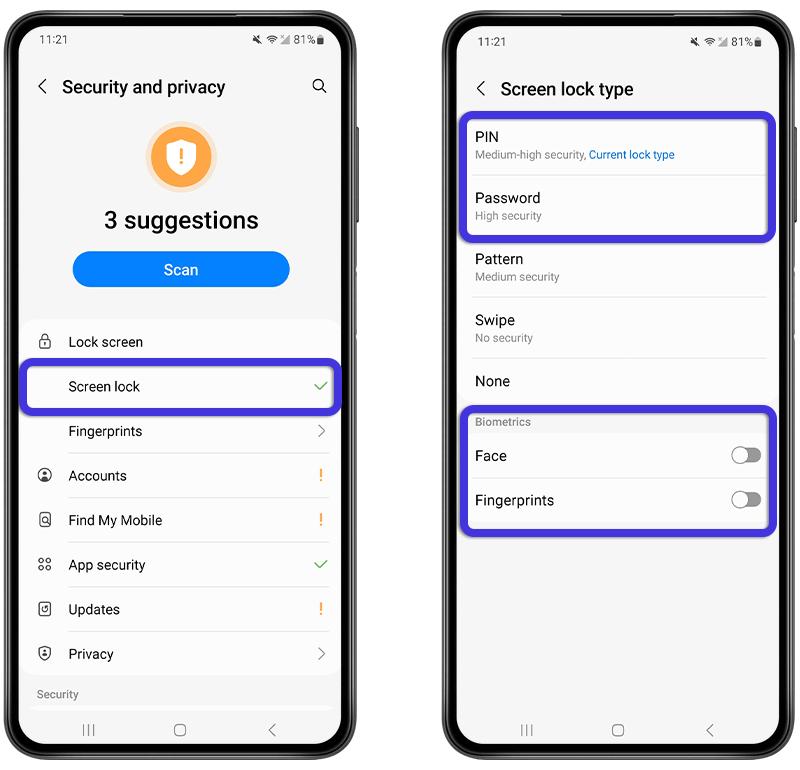
- Use a screen lock, PIN, fingerprint, or other device protection available on your Android phone.
- Keep your device operating system and 4C Pulse app updated.
- Sign out of accounts on devices you no longer use, where that option is available.
Security tips
- Do not reuse your 4C Pulse password on unrelated websites.
- Avoid entering credentials after following suspicious links.
- Never share a one-time verification code with someone claiming to be support.
- Contact official 4C Pulse support if you suspect someone has accessed your account.
Protect Your Personal Information
Only share information that is appropriate for the intended recipient.
Recommended practices
- Verify a recipient before sending personal information.
- Review group membership before sharing information in a group chat.
- Avoid sharing financial details, passwords, verification codes, or confidential documents unnecessarily.
- Be careful when forwarding photos, videos, documents, and other private content.
- Review app permissions and allow only those needed for the features you use.
Before sending a message
- Confirm that you have opened the correct conversation.
- Check the recipient's name or group name.
- Review attachments before sending them.
- Make sure the content is intended for everyone in the conversation.
**Important:** Removing a message or a group member does not necessarily remove copies already delivered to other devices.
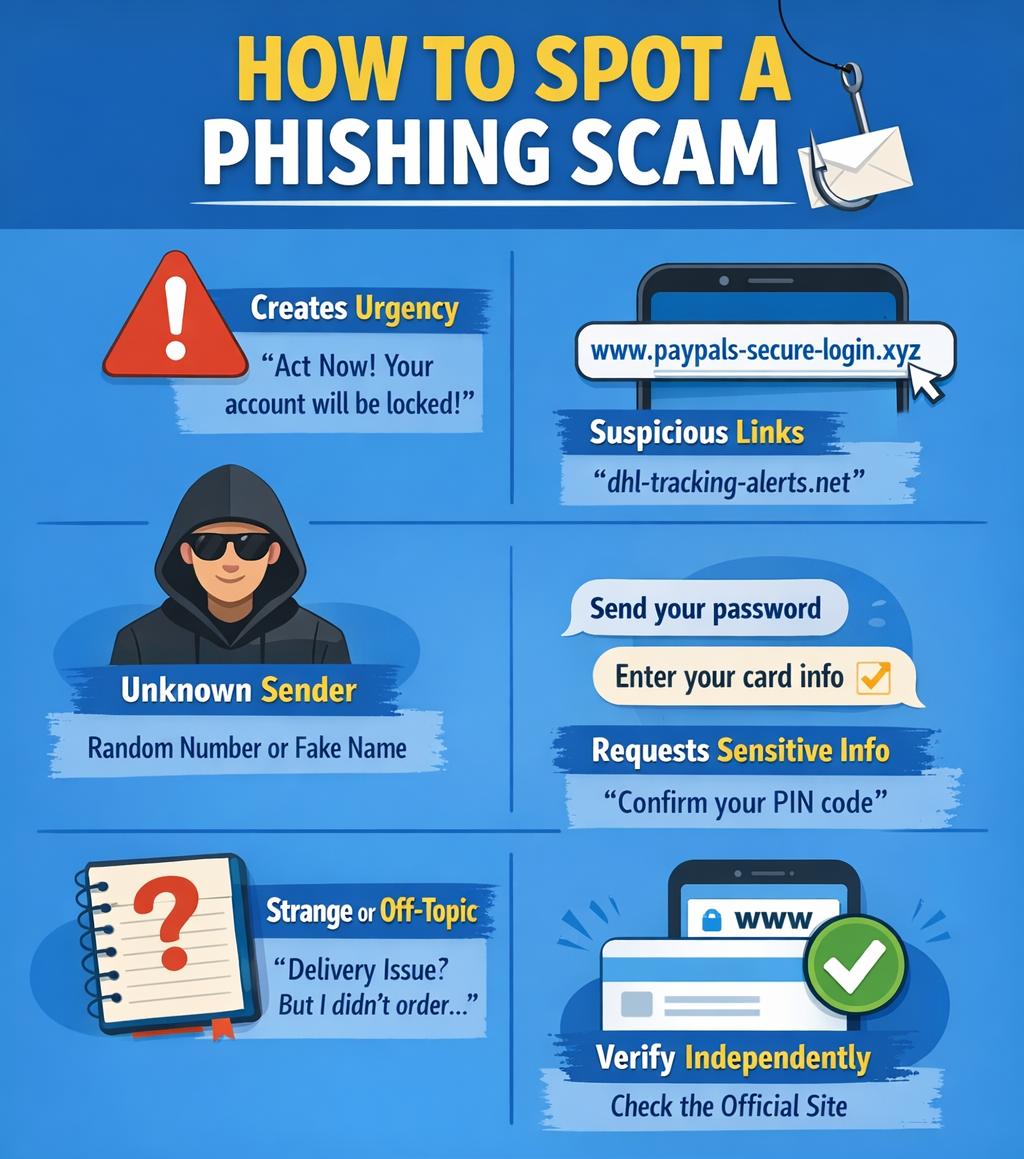
Recognize Suspicious Messages and Links
Messages may contain links, attachments, or requests designed to obtain private information.
Warning signs
- Unexpected requests for passwords or verification codes.
- Links to unfamiliar or misspelled websites.
- Messages claiming that your account will be suspended unless you act immediately.
- Unexpected files from unknown senders.
- Requests for payment or sensitive personal information.
- Messages pretending to come from 4C Pulse support.
What to do
- Do not open suspicious links or attachments.
- Verify the sender using a separate, trusted communication method.
- Do not provide passwords, verification codes, or financial details.
- If you suspect a malicious link, close the page without entering information.
- Report the incident through the official 4C Pulse support channel.
Manage Device Permissions
Android permissions control which device features an application can access.
Depending on the features you use, 4C Pulse may request access to selected device capabilities.
Review permissions
- Open Android **Settings**.
- Select **Apps** or **Applications**.
- Find and select **4C Pulse**.
- Open **Permissions**.
- Review the permissions listed.
- Allow only the permissions needed for the features you intend to use.
Permission names and menu locations vary by Android version and device manufacturer.
Good practices
- Review permissions periodically.
- Do not grant permissions based on an unexpected message or request.
- If a feature stops working after a permission is denied, review the permission and decide whether to enable it.
- Keep your phone protected with a secure screen lock.
Understand Connection Security and Privacy
4C Pulse uses secure network transport for communication between the app and its services.
Recommended practices
- Use the official 4C Pulse application and download it from the official website or an authorized distribution channel.
- Check that you are using the legitimate 4C Pulse service.
- Avoid installing modified APK files from unknown sources.
- Keep the app updated to receive available fixes and improvements.
- Use trusted networks when handling sensitive information.
**Important security distinction:** A secure HTTPS connection protects data in transit between communicating endpoints. It does not, by itself, mean that messages are end-to-end encrypted. Do not assume that only the sender and recipient can read messages unless 4C Pulse explicitly documents and implements end-to-end encryption.
What to Do if You Suspect Unauthorized Access
Act promptly if you notice unexpected account activity or suspect that someone has accessed your account.
Recommended steps
- Secure the email account associated with 4C Pulse.
- Change your password if password-based sign-in is available and you suspect it has been exposed.
- Review your device security and remove access from unfamiliar devices where the app provides that capability.
- Update 4C Pulse to the latest official version available to you.
- Contact official support and describe the suspicious activity.
- Do not send your password or verification codes when reporting the issue.
Information to provide to support
- Your app version.
- Your Android version and device model.
- The approximate time the problem occurred.
- A description of the suspicious behavior.
- Relevant error messages, with sensitive information removed.
Do not include passwords, authentication codes, or private message contents unless there is a specific, secure, justified need.